Right-click the canvas or press Space to add a module where you are pointing. Drag from a socket to wire it, drag a wire off to unplug it, drag an unpatched input's value up or down to turn it, and group modules into boxes. Ctrl+B switches one off, passing what is patched into it straight through.
01Features
Everything is a module, and every module is a few sockets.
Sources, oscillators, patterns, forms, geometry, color, maths, pitch, timing, shaping, time effects, feedback, measurement and routing modules, with a preset for each family.
Read the previous frame back in, or wire a module into itself. A loop is a delay: a filter or a comb for the ears, a trail or a tunnel for the eyes.
Press F2 and the patch is text you can edit, diff and generate. It
builds back to exactly the same program and saves as .fbks. A for loop
stamps out a voice for every note of a list, and an if builds one of two branches.
MIDI input on Windows, macOS and Linux, with chords played down one chain of polyphonic wires. With no controller, the computer keyboard is the instrument, and on a phone or a tablet a row of keys under the canvas is. Knobs follow a MIDI controller too, and a Clock In keeps the whole patch to a drum machine's tempo and Start button, or to the apps in an Ableton Link session on the same Wi-Fi. Set up an Elektron Syntakt →
Record a live take, knobs and all, with Ctrl+R.
For repeatable exports use flyback-cli render, which draws on the GPU with no window. MP4, WebM, MOV, MP3, M4A and FLAC
where ffmpeg is installed; AVI and WAV are written by Flyback itself and need nothing.
Describe a patch and have one built, looked at and listened to, over any chat-completions endpoint or Gemini, or by your own Claude Code or Codex. What comes back is an edit you can undo. How it works.
Modules, presets, sound backends and assistants all load from a folder. The Picture, Voice, Effects and Mastering modules ship as plugins themselves. Write your own.
Presets and plugins people make go on the preset site, with a picture and a sound of each. The gallery in the app lists them, and one click downloads and opens one. A plugin is a signed package, installed from the same window.
02A look around
Screenshots from the app.
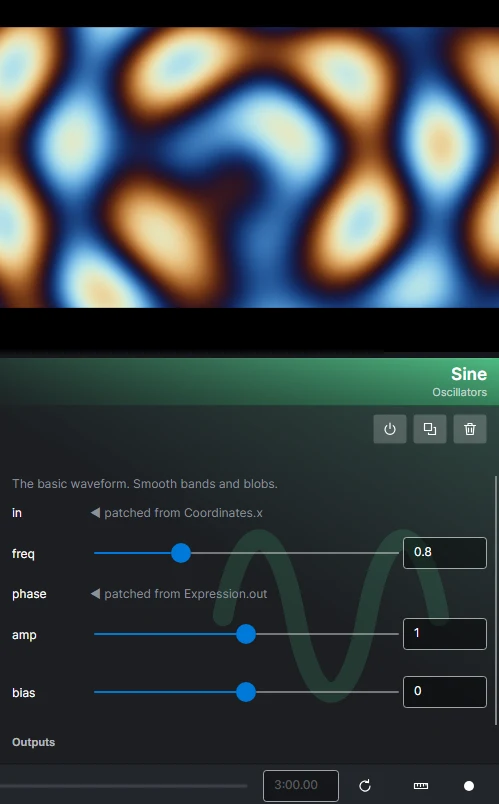
Edit a module on the inspector
Select a module to see its description and a slider for every socket that is not wired. A wired socket names the socket at the other end, patched from Time.t, and its outputs are listed under the sliders with what each feeds. Hover a socket for what it does. Values change the running patch as you drag. A selected group shows the same rows for the sockets on its edge.
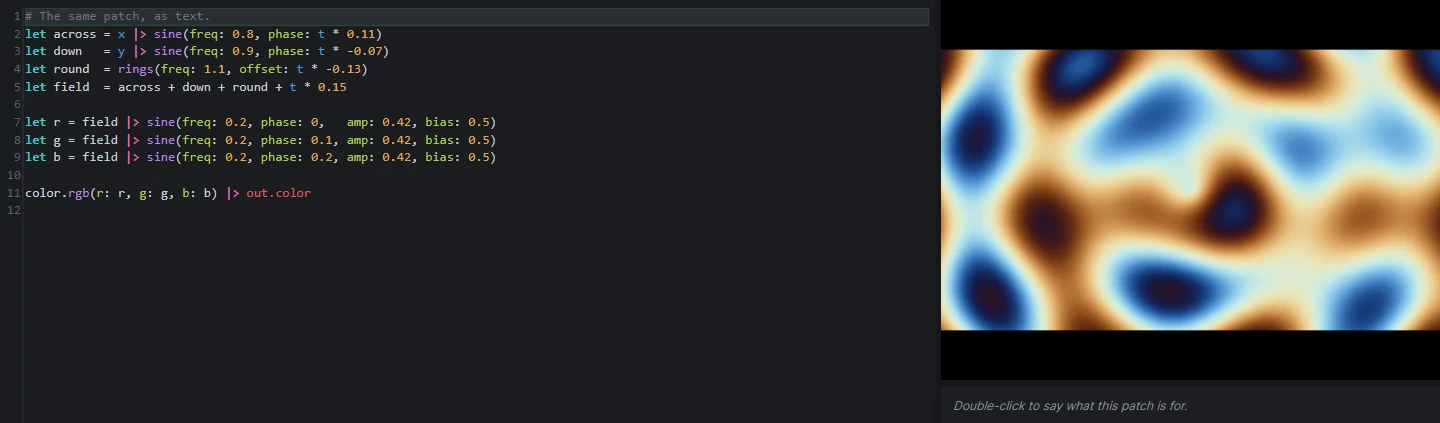
Switch to text with F2
The text view prints the patch in the language, in the same colors the canvas uses for each kind of module. Edit it and press Ctrl+Enter to build it back into a patch.
Keep big patches readable with groups
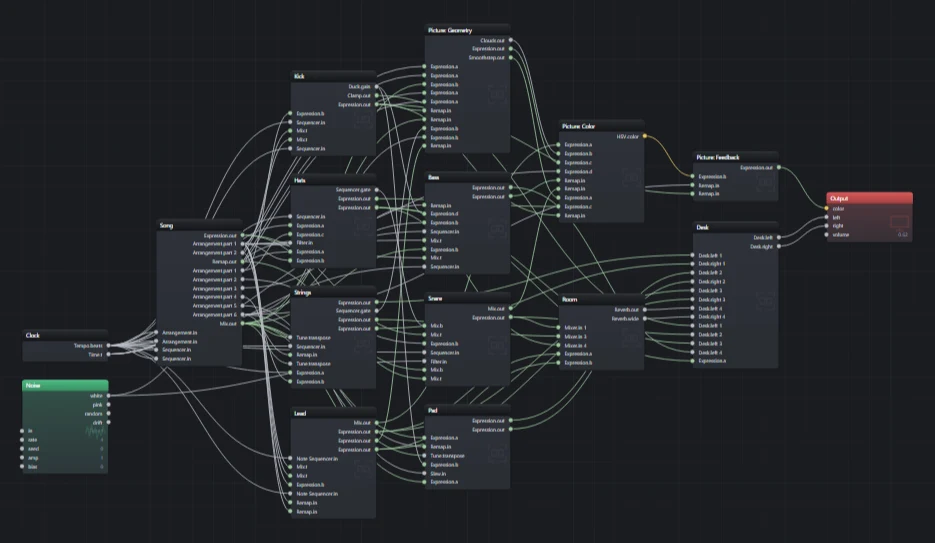
The Whole band preset is a hundred and sixty-two modules in fourteen boxes: a clock, the song, seven instruments, a room, a mixing desk and three for the picture. Double-click a box to look inside, and press Ctrl+G to make your own.
Perform with knobs
Press Ctrl+K for the knob panel under the canvas. A knob moves every socket linked to it, each over its own range, without rebuilding the patch, so it can be turned mid-take and the recording keeps the move. Learn a MIDI controller for one, or bind it by name to a knob on an instrument Flyback knows. The die at the end of the panel, Ctrl+Shift+K or a learned controller button or pad randomizes every knob not held, gliding there, and Back under it goes back, counting how many times it can; right-click or hold the die for how far and how slowly. A knob can be played as a switch, which flips between two settings, or a button, on only while held, from the screen or a controller's button or pad. Full screen and the viewer keep the knobs behind the dots at the bottom of the picture, and Shift+F11 puts the patch over a full-screen picture, as modules or as text, to keep patching while it plays in front of people.

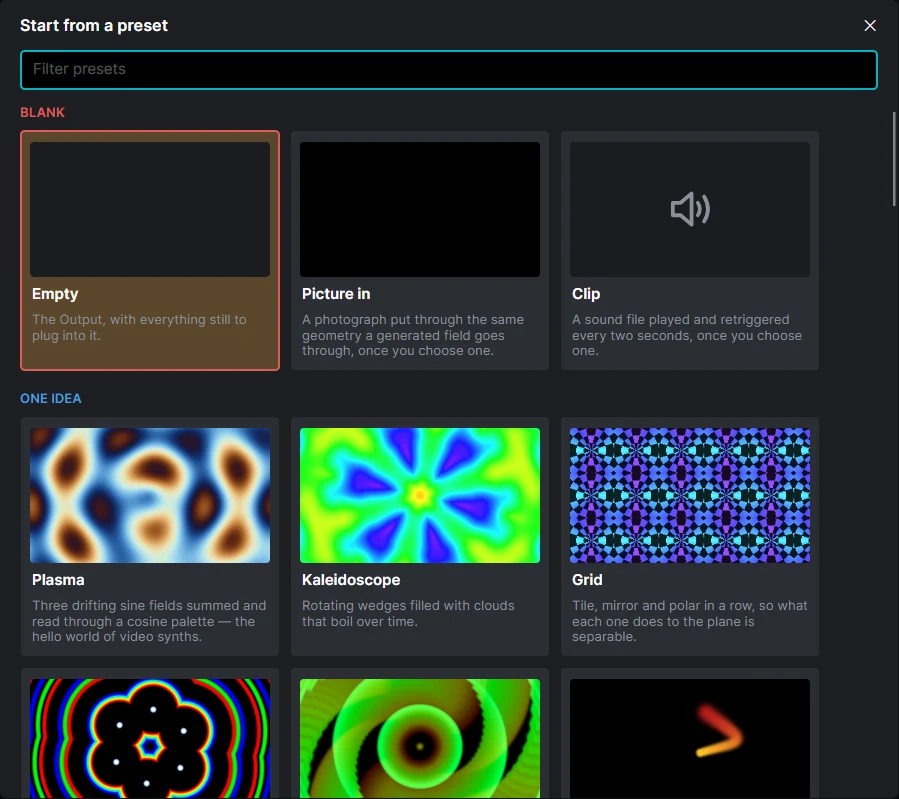
Start from a preset
The first toolbar button opens a gallery of every preset, built-in, from plugins, your own and those shared on the preset site, each card showing what it draws and whether it makes sound, picture or both. Filter by name, author, tag or topic, rest the pointer on a card to see and hear it, and double-click to open it. With an assistant set up, the top card takes an idea instead and starts an empty patch with the assistant building it.